
Nestform
WordPress forms built to convert
Drag-and-drop builder for contact and lead forms — with an entries inbox, email alerts, webhooks, and spam protection out of the box. Pro adds quizzes, surveys, and multi-step flows.
Features
Explore every capability
Browse the Nestform toolkit — Free lead capture with webhooks and inbox, plus Pro quizzes, payments, and deeper automation.
How it works
From install to inbox in four steps
Nestform stays out of the way — create a form, shape the fields, place it on a page, and start collecting entries.
-
Install & create
Activate Nestform, open Forms, and start a new form — Free is ready without a setup maze.
-
Build the fields
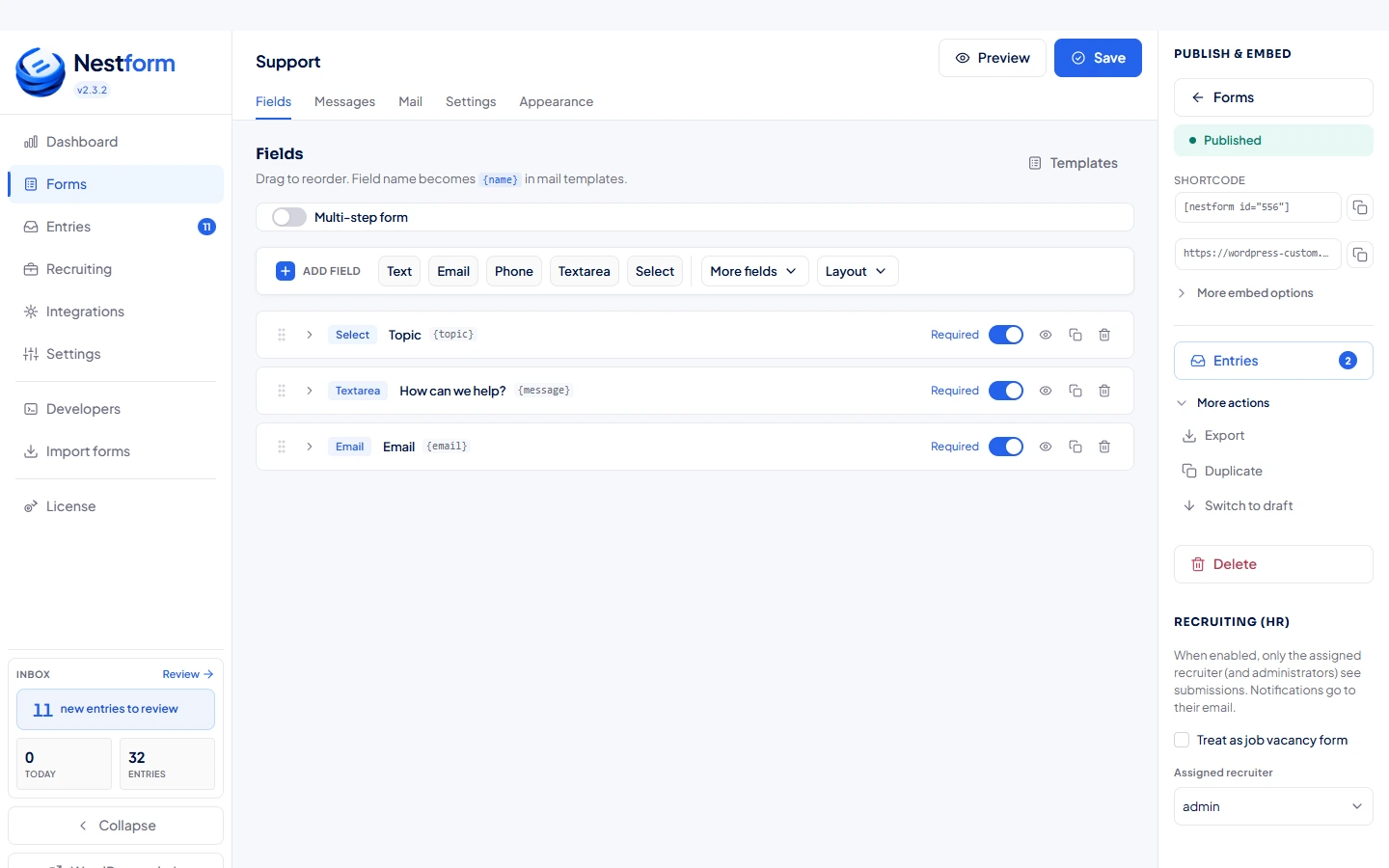
Drag fields, tune labels and conditionals, and keep the layout as simple or structured as the lead needs.
-
Embed anywhere
Use the Gutenberg block, drop the Elementor widget, or paste a shortcode — the form lands where your traffic already is.
-
Collect & follow up
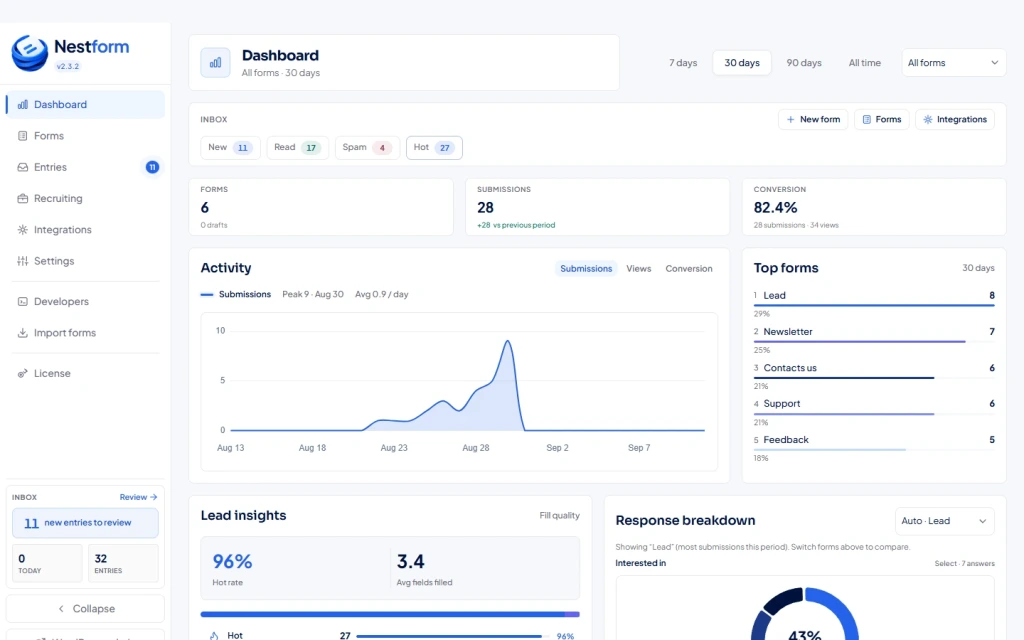
Entries land in the inbox with email alerts and optional webhooks. Export when you need them, or grow into Pro automation later.
About Nestform
Forms that feel native to WordPress — and serious about conversion
Nestform is a WordPress form plugin built for teams who need clean lead capture today and room to grow into quizzes, surveys, and multi-step flows tomorrow.
Free covers the essentials: unlimited forms, a visual builder, entries inbox, email alerts, conditionals, uploads, captcha, outbound webhooks (up to 5 per form), and spam protection — without turning your admin into a maze. Pro unlocks interactive conversion: quizzes, multi-step branching, Stripe, HubSpot, automations, and richer delivery when the funnel gets ambitious.
-
Built for WordPress
Gutenberg block, Elementor widget, shortcode embed, and an admin that respects how WP sites are actually run.
-
Free that ships value
Lead forms with inbox, CSV, captcha, and webhooks — not a hollow teaser that forces Pro on day one.
-
Pro when you scale
Quizzes, multi-step branching, surveys, Stripe, HubSpot, and automation when one flat form is no longer enough.
Pricing
Start free. Grow into Pro or Agency when the funnel needs it.
Free covers real lead capture and webhooks. Pro unlocks quizzes, payments, and automation. Agency covers up to 5 client sites.
-
Free
$0 forever
Everything you need to ship lead forms on WordPress today.
- Unlimited forms
- Visual builder & templates
- Entries inbox + CSV export
- Email alerts & captcha
- Conditionals & file uploads
- Outbound webhooks (up to 5)
- Gutenberg, Elementor & shortcode
- Basic analytics
-
Pro Recommended
$9.99 / month
$89.99 / year
≈ $7.50 / month, billed yearly
Interactive conversion when one flat form is no longer enough.
- Everything in Free
- Multi-step forms & branch rules
- Quizzes & surveys with scoring
- Automations, calculated fields & repeaters
- Stripe payment fields
- HubSpot contact sync
- HTML email designer & PDF attachments
- Advanced analytics & lead insights
-
Agency
$29.99 / month
$269.99 / year
≈ $22.50 / month, billed yearly
For teams shipping Nestform across client WordPress sites.
- Everything in Pro
- License for up to 5 client sites
- Priority support & onboarding
- White-label ready workflows
- Early access to new integrations
- Volume pricing for teams
FAQ
Questions, answered
Straight answers about Free, Pro, Agency, and how Nestform fits a WordPress stack.
Is Free actually usable, or just a teaser?
Free ships unlimited forms, a real builder, entries inbox, email alerts, conditionals, uploads, captcha, basic analytics, and outbound webhooks (up to 5 endpoints per form) — enough to run lead forms without buying Pro on day one.
When should I upgrade to Pro?
When you need quizzes, scoring, multi-step branching, survey fields, Stripe payments, HubSpot sync, automations, calculated fields, lead insights, or HTML/PDF delivery — basically when the funnel gets interactive.
What is Agency for?
Agency includes everything in Pro with a license for up to 5 client sites, plus priority support and onboarding for teams who ship Nestform for clients.
Are webhooks only in Pro?
No — outbound webhooks are included in Free (up to 5 endpoints per form). Pro adds payments, CRM sync, automations, and richer delivery on top.
How do I put a form on a page?
Use the Nestform Gutenberg block, the Elementor widget, or paste . Forms stay native to WordPress instead of living on a third-party host.
Where do submissions go?
Into the Nestform entries inbox, with optional email alerts and webhooks. Export to CSV when you need them outside WordPress.
Does Nestform fight with my theme?
Front-end output is lean and block-friendly. Admin stays in native WordPress UI so it feels like part of WP, not a bolted-on SaaS chrome.
Support
Need help, or want to say hi?
Questions about Free vs Pro, installs, or a tricky form — send a note. We usually reply within one business day.
Get started
Ship your next WordPress form today
Install Free, build a form, embed it, and start collecting entries — upgrade to Pro or Agency when the funnel needs more.
- Free forever
- Native to WordPress
- Upgrade when ready